Index Guide 2025 2024 Contact

Ce guide est destiné à être mis à jour régulièrement au fur et à mesure des avancées du projet.

À ce jour il sera séparé en trois grandes parties, une partie destinée à l'installation de l'émulateur Ruffle afin de visionner les animations disponibles sur le site dans votre navigateur actuel, une seconde afin de pouvoir installer sur votre ordinateur une version compatible du lecteur autonome Flash, une troisième pour équiper votre navigateur avec le plug-in Flash d'origine.

La troisième partie sera la plus complexe a développer et se destine également aux possesseurs d'anciennes machines potentiellement contemporaines des animations Flash d'origine.

1- Installer Ruffle sur votre ordinateur

2- Installer Ruffle sur votre smartphone

3- Installer Flash Player standalone

4- installer le plug-in Flash sur votre navigateur en natif

This guide is intended to be updated regularly as the project progresses.

To date it will be separated into three large parts, one part intended for the installation of the Ruffle emulator in order to view the animations available on the site in your current browser, a second in order to be able to install on your computer a compatible version of the standalone Flash player, a third to equip your browser with the original Flash plug-in.

The third part will be the most complex to develop and is also intended for owners of old machines potentially contemporary with the original Flash animations.

1- Install Ruffle

2 - Install Flash Player standalone

3 - Install the Flash plug-in on your browser


Installer Ruffle

L'installation de Ruffle est relativement simple, pour cela il suffit de vous rendre sur la page de l'éditeur du logiciel.

https://ruffle.rs/

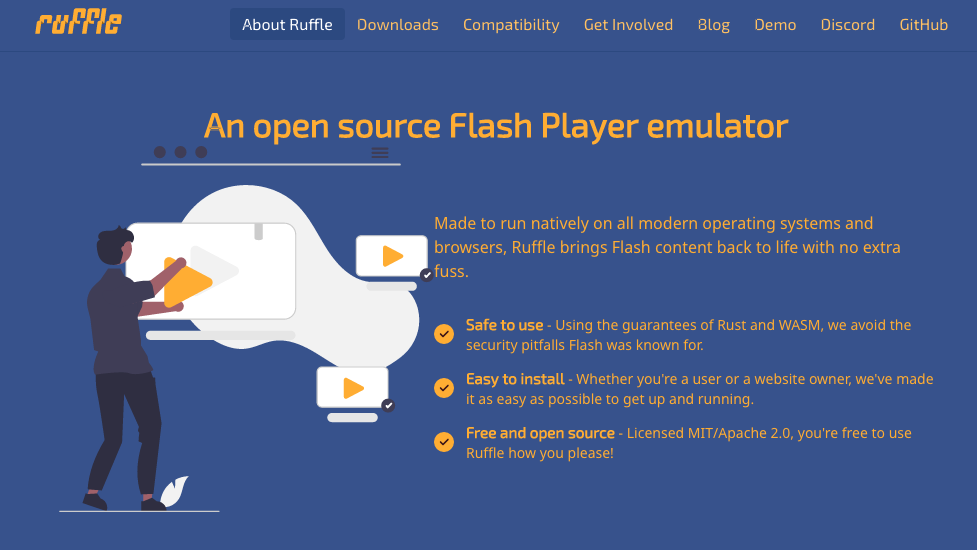
Sur la page d'accueil vous allez trouver deux options, soit installer une extension directement dans votre navigateur, soit télécharger une application sur votre ordinateur.

Pour Chrome il vous suffit de choisir l'option proposée, pour Firefox il vous faudra aller dans "Others downloads"
Install Ruffle

Installing Ruffle is relatively simple, just go to the software publisher's page.

https://ruffle.rs/

On the home page you will find two options, either install an extension directly in your browser or download an application to your computer.

The extension option will allow you to browse sites with Flash animations, the application option will allow you to download animations in order to play them on your computer without using a browser.

Installer Ruffle sur votre smartphone

Cette fois-ci il vous faut installer le navigateur Firefox sur votre smartphone puis installer l'extension pour ce navigateur.

Firefox pour Android

Une fois Firefox installé, téléchargez l'extension de Ruffle pour ce navigateur.

L'extension pour Firefox

L'option extension vous permettra de naviguer sur des sites avec des animations Flash, l'option application vous permettra de télécharger des animations afin de les lire sur votre ordinateur sans passer par un navigateur.

Install Ruffle

Installing Ruffle is relatively simple, just go to the software publisher's page.

https://ruffle.rs/

On the home page you will find two options, either install an extension directly in your browser or download an application to your computer.

The extension option will allow you to browse sites with Flash animations, the application option will allow you to download animations in order to play them on your computer without using a browser.

Installer Flash Player standalone

Dans la procédure décrite ici vous allez installer une application sur votre ordinateur qui vous permettra de visionner des animations Flash téléchargées et pas directement dans un navigateur.

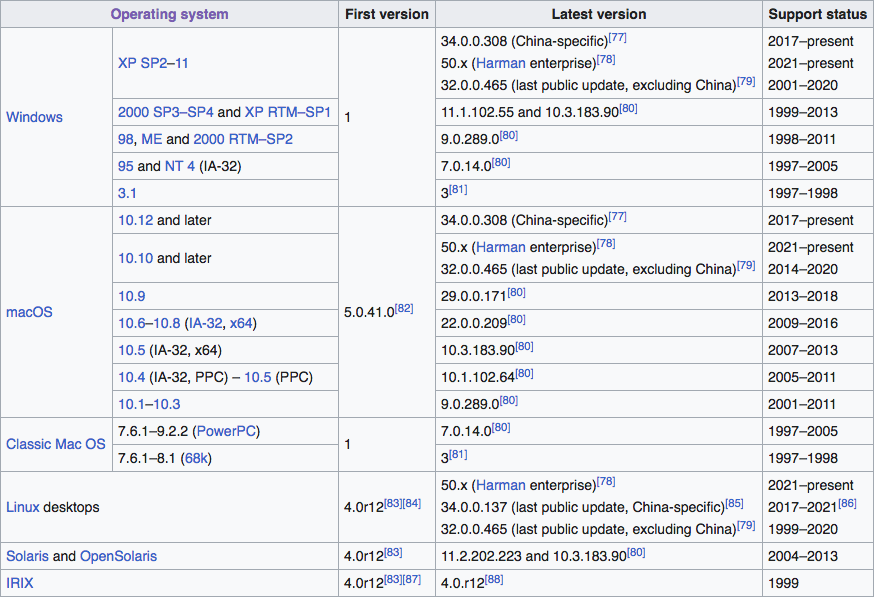
La difficulté ici sera de trouver la version pour votre système d'exploitation, Mac ou Windows. Le maximum de versions seront listées sur ce site, avec des mises à jour régulières.

Pour les ordinateurs Apple à processeur Mx, pour l'instant pas de Flash Player disponible.

Un tableau est disponible en annexes selon les années et les versions de Flash Player.


macOS / windows

10.1-10.3 / 98, ME et 2000 RTM-SP2

télécharger Flash Player 8


macOS / windows

10.5.7 - 10.6 / XP SP2 et Vista

télécharger Flash Player 11


macOS

10.10 et plus

télécharger Flash Player 32

Install Flash Player standalone

In the procedure described here you will install an application on your computer that will allow you to view downloaded Flash animations and not directly in a browser.

The difficulty here will be finding the version for your operating system, Mac or Windows. As many versions as possible will be listed on this site, with regular updates.

For Apple computers with an Mx processor, no Flash Player is currently available.


Installer le plug-in Flash sur votre navigateur

Aujourd'hui Adobe bloque toute tentative d'installation du plugin, même lorsque vous utlisez un ordinateur ancien, une connexion via le site de Adobe est activéee et bloquée.

Pour pallier à cette décision unilatérale et critiquable à bien des égards, ne serait-ce que dans la responsabilité des éditeurs de logiciels d'assurer le minimum de continuité culturelle, il vous faudra trouver les installeur "modifiés" pour espérer lire en natif les animations utilisant Flash.

Aujourd'hui l'évidence de la portablilité et de la compatibilité avec des logiciels et des formats libres est plus ancrée dans les pratiques, mais au sortir des années 2000 ce n'était pas le cas.

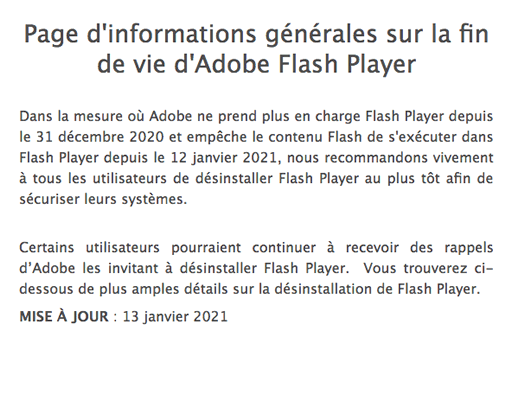
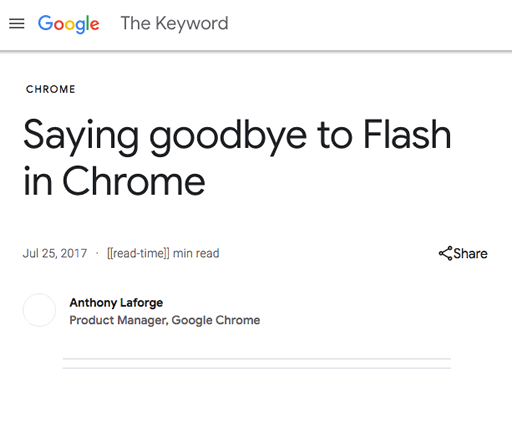
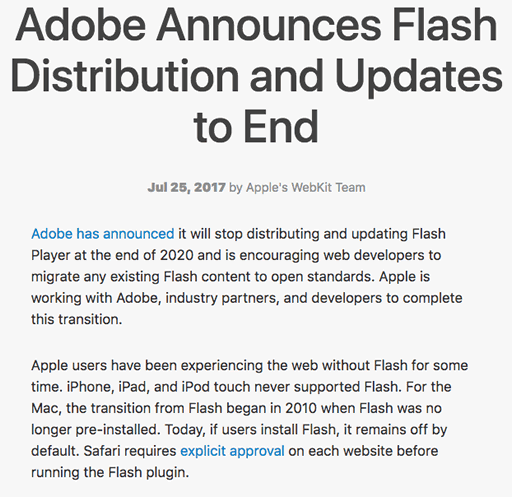
Vous trouverez ici quelques copies d'écran qui annoncent la fin du support de Flash selon différentes entreprises du web.

Install the Flash plug-in on your browser

Today Adobe blocks any attempt to install the plugin, even when you are using an old computer, a connection via the Adobe site is activated and blocked.

To compensate for this unilateral decision which is open to criticism in many respects, if only in the responsibility of software publishers to ensure a minimum of cultural continuity, you will need to find "modified" installers to hope to read the animations natively. using Flash.

Today the evidence of portability and compatibility with free software and formats is more anchored in practice, but at the end of the 2000s this was not the case.

Here you will find some screenshots announcing the end of Flash support according to different web companies.

ANNEXES